The system
5 windows. That’s the whole thing.
Capstan is an Ambient Intelligent Record (AIR). It works alongside the email, calendar and phone number you already have, takes in everything that happens, files each piece to the right client, and tells you what needs attention today.
Today
Everything that happened, filed. Everything that needs you, first.
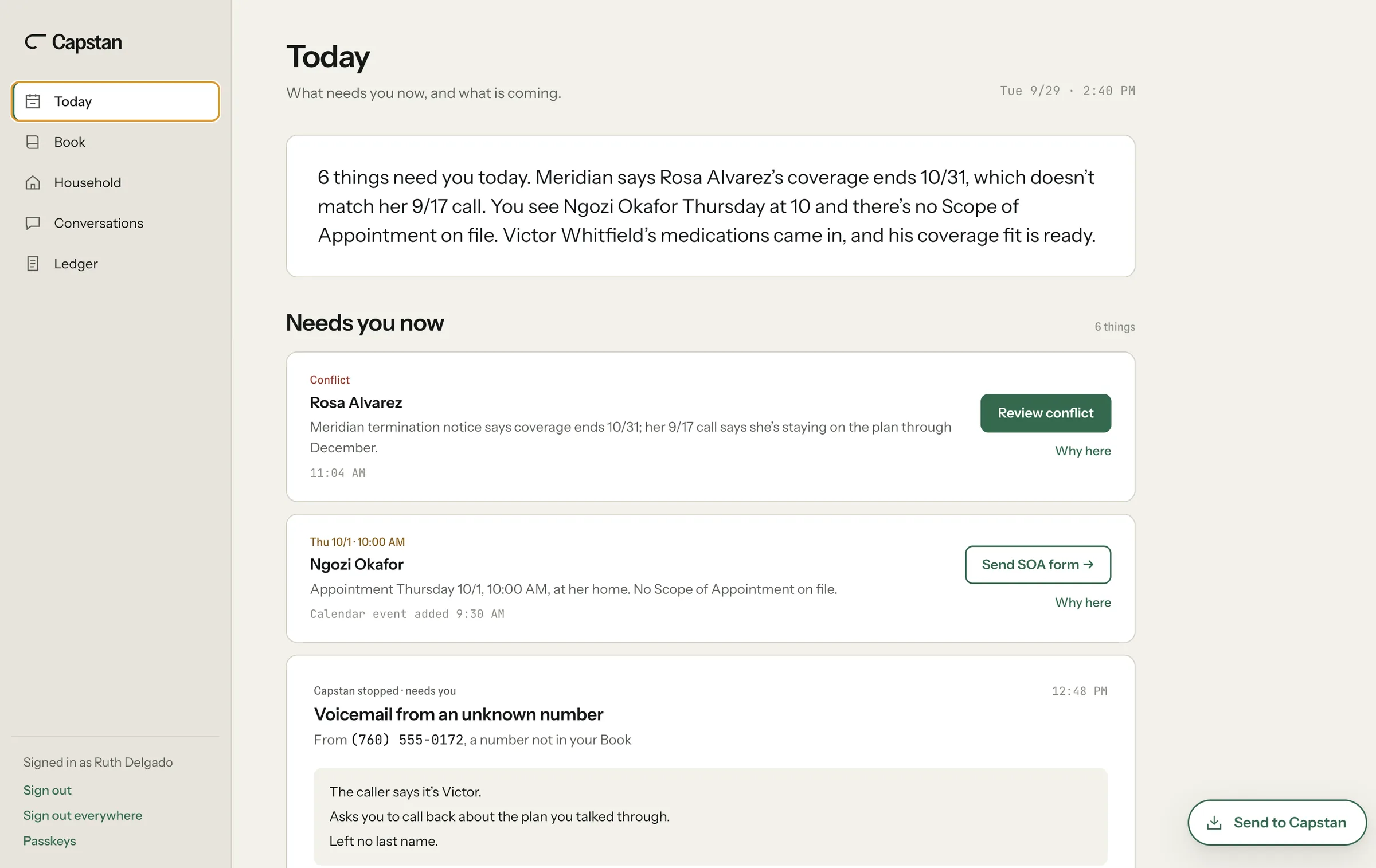
What needs you now, and what is coming.
A few plain sentences on what needs you now, then the list. Every item can tell you why it’s there. Instructions, not a chat window.
Book
It was already written.
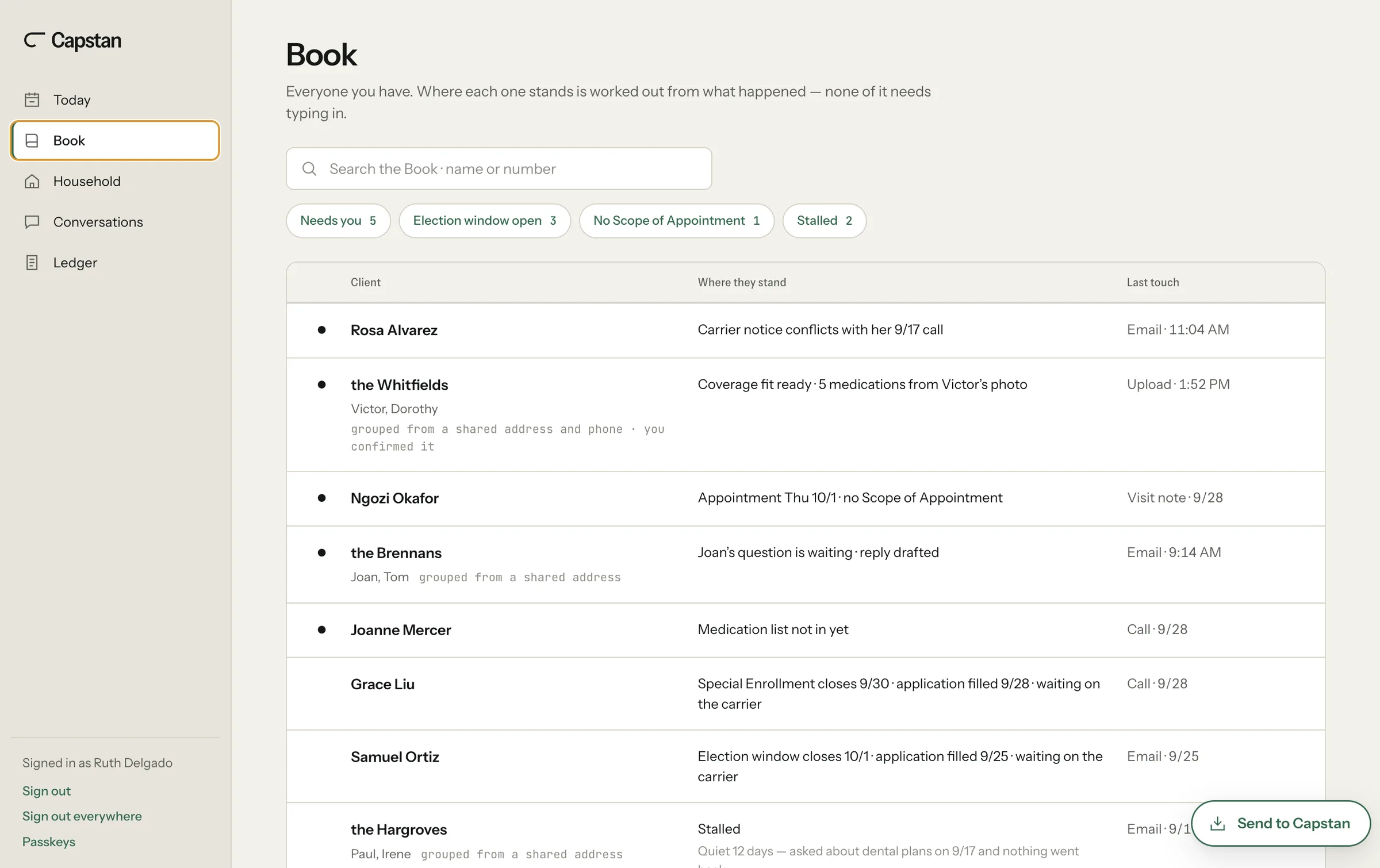
Everyone you have. Where each one stands is worked out from what happened — none of it needs typing in.
Everyone you have, grouped into households. Where each one stands is worked out from what happened: an email, an upload, a visit note, a call. Open election windows, missing Scope of Appointment forms and clients who have gone quiet come to the top.
Household
Every fact, and where it came from.
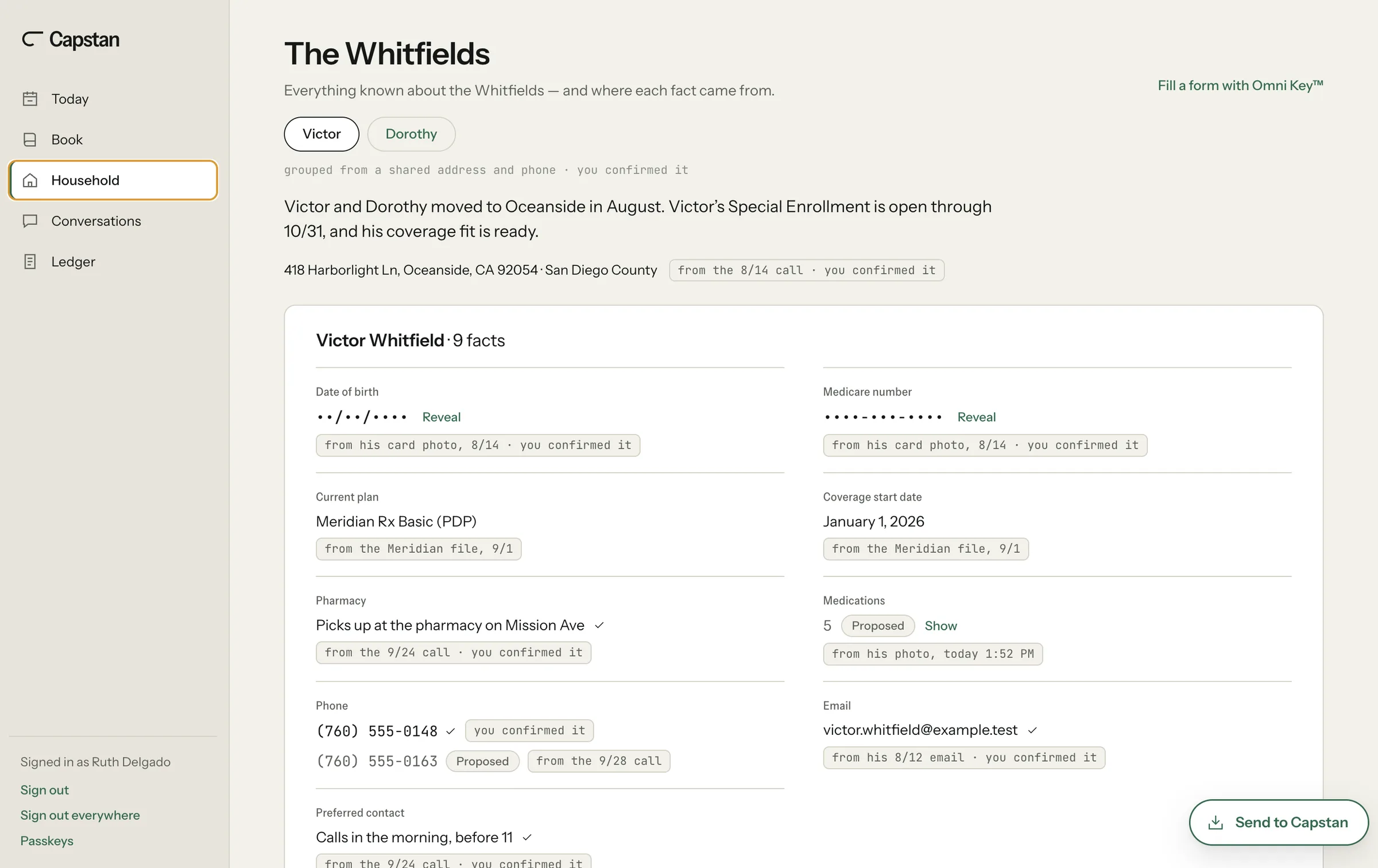
Everything known about a household — and where each fact came from.
Open anyone in the Book and you’re in their household. People are grouped from what they share, like an address or a phone, and you confirm it. The address belongs to the household; every other fact belongs to a person and carries its source: the card photo, the carrier file, the call, your note. Below 95% sure, it stops and asks you.
From here, Omni Key™ fills a web form: 1 click fills every field it recognizes, and you point to the rest. Before a Medicare fill, Capstan checks for a Scope of Appointment.
Conversations
Nothing goes out until you send it.
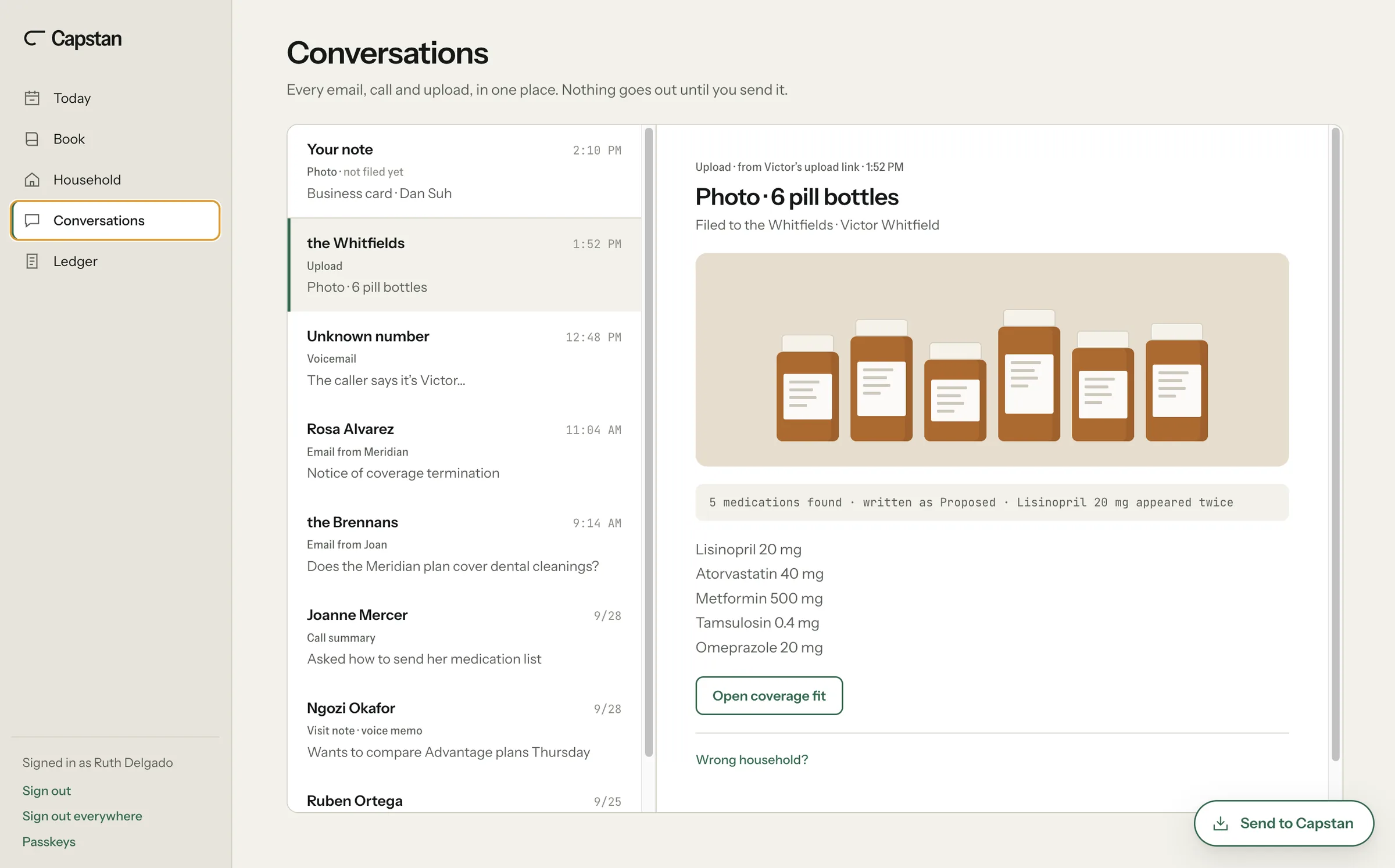
Every email, call and upload, in one place. Nothing goes out until you send it.
Every email, call, visit note and upload from your clients, filed to the right one. When a reply is needed, it’s drafted. Reply from Capstan. It sends from your own Gmail, when you press Send.
When a Medicare reply needs the disclaimer, Capstan adds it. Every reply you send from Capstan lands on the record.
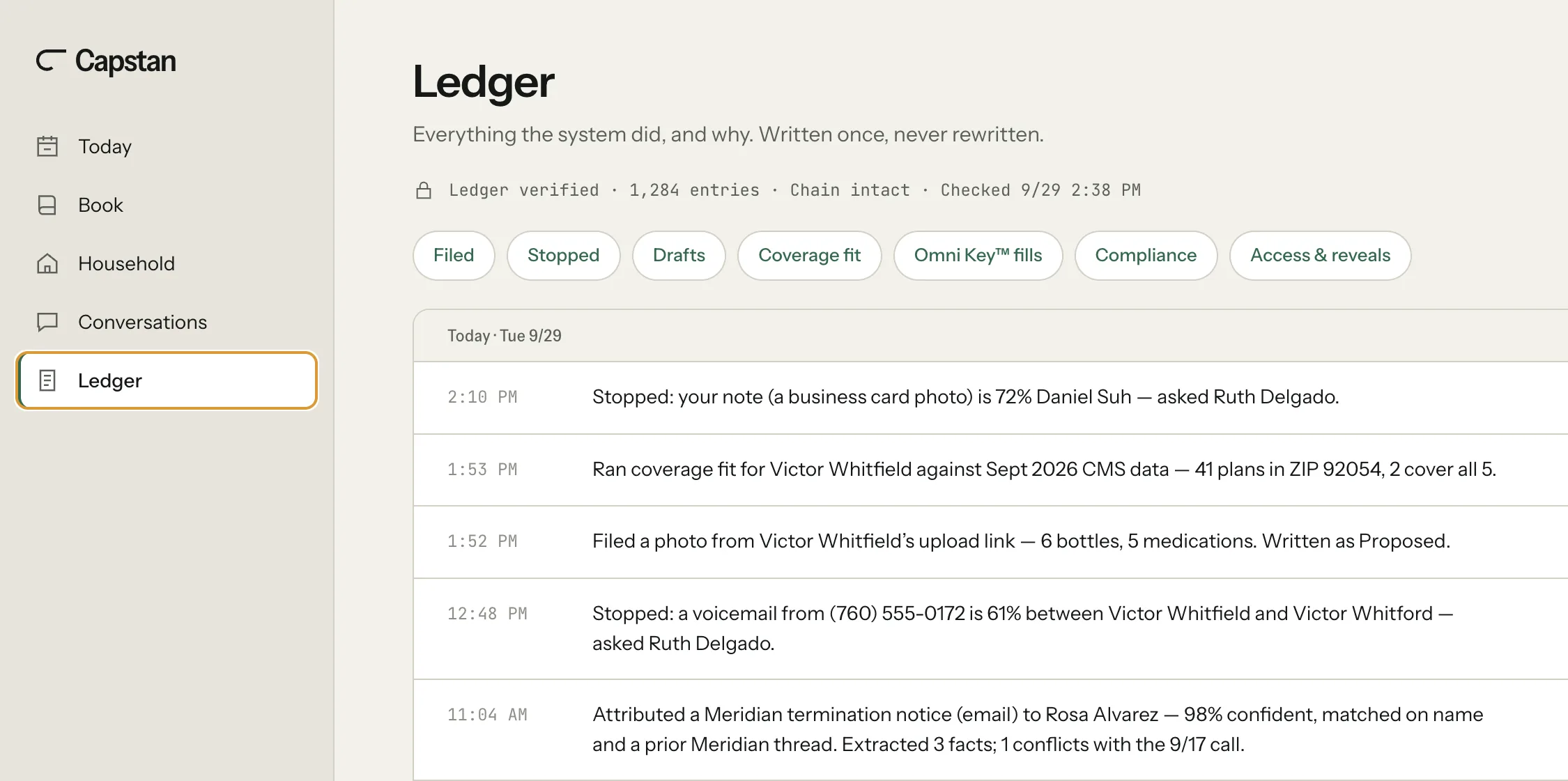
Ledger
Every action, and why.
Everything the system did, and why. Written once, never rewritten.
Every filing, every stop, every draft and every Omni Key™ fill, written once with who did it and why. Nothing in it can be edited or deleted, and the chain is checked.
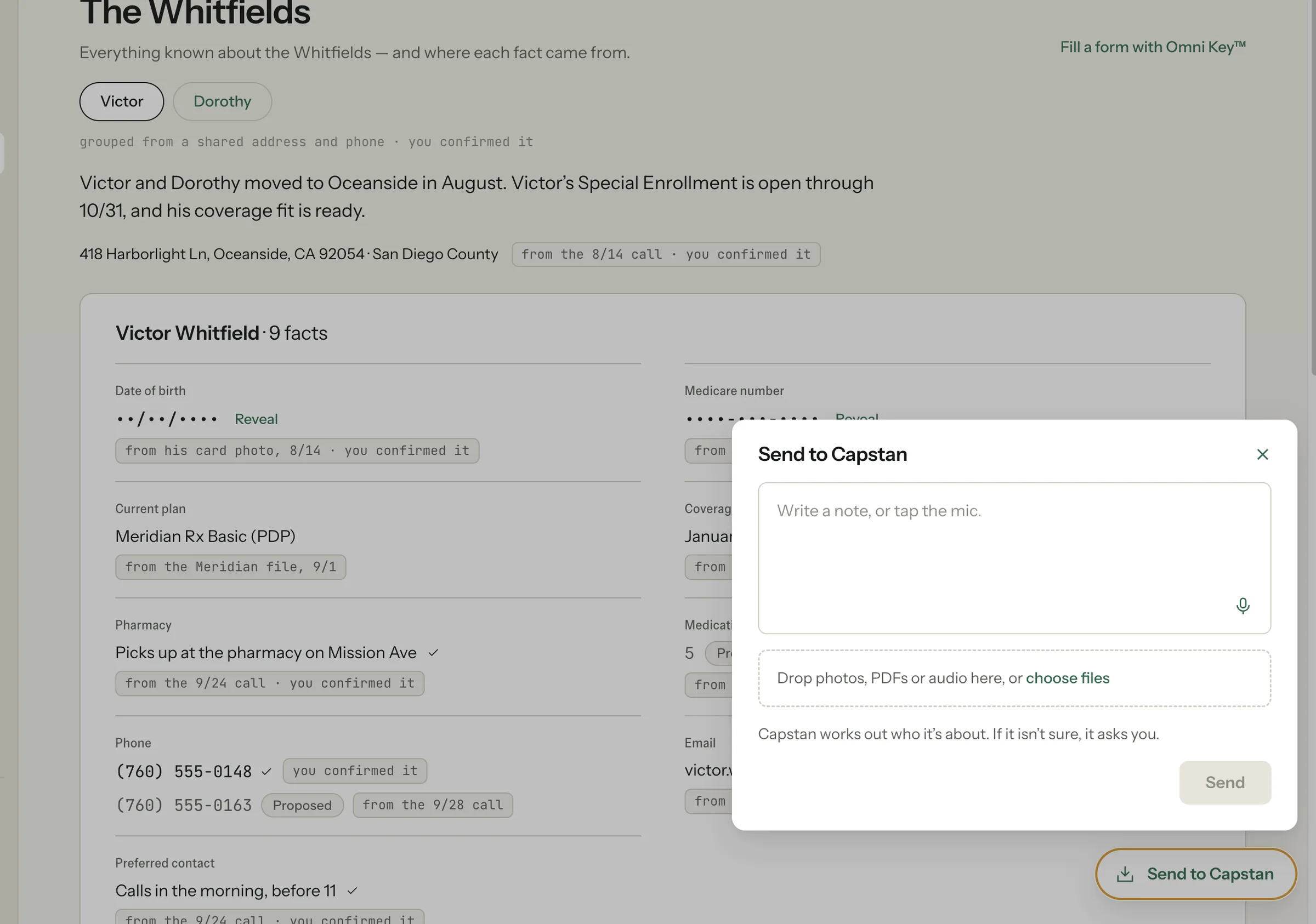
Send to Capstan
Tell Capstan the way you’d tell an assistant.
The record builds itself. When you want to add something, tap Send to Capstan on any window, on your phone or your laptop. Write a note or say it, drop in a photo, a PDF or audio, and send. Capstan works out who it’s about and files it. When it isn’t sure, it asks.
No fields and no client picker. When you dictate, the audio isn’t kept; only the words you send are. A note goes to Capstan and nowhere else, and every fact from it is marked “from your note.” A note to your Capstan address works the same way.
Read it wrong? Fix it in one tap, right where you are.
When something you’re doing needs a fact and Capstan read it wrong, you correct it there. The fix is marked as yours and written to the Ledger.
Nothing new to learn.
It works alongside the email, calendar and phone number you already have. Your mail forwards in, your Google Calendar reads in, and your number stays yours.
Texts stay on your phone line; Capstan doesn’t read or store them. Mail that isn’t from a client or about insurance is deleted on arrival.
HealthSherpa, connected.
Application status comes in by itself. Quote in HealthSherpa from the client’s record. Omni Key™ fills every field it recognizes on the application, you point to the rest, and you press submit.